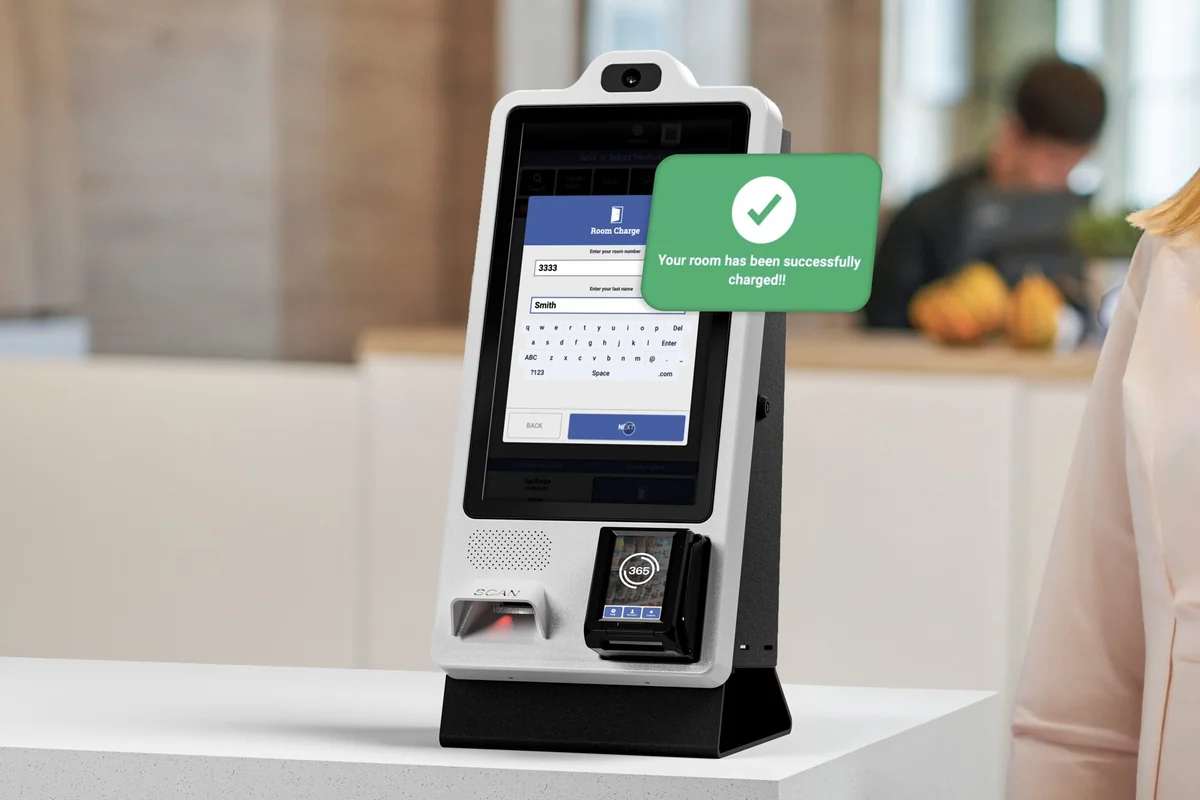
Hotel room charges

Let guests charge it to their room

Add room charge to your grab-and-go market. Your team enters the room number, verifies the guest, and ImpulsePoint sends the sale to your PMS as a room charge.

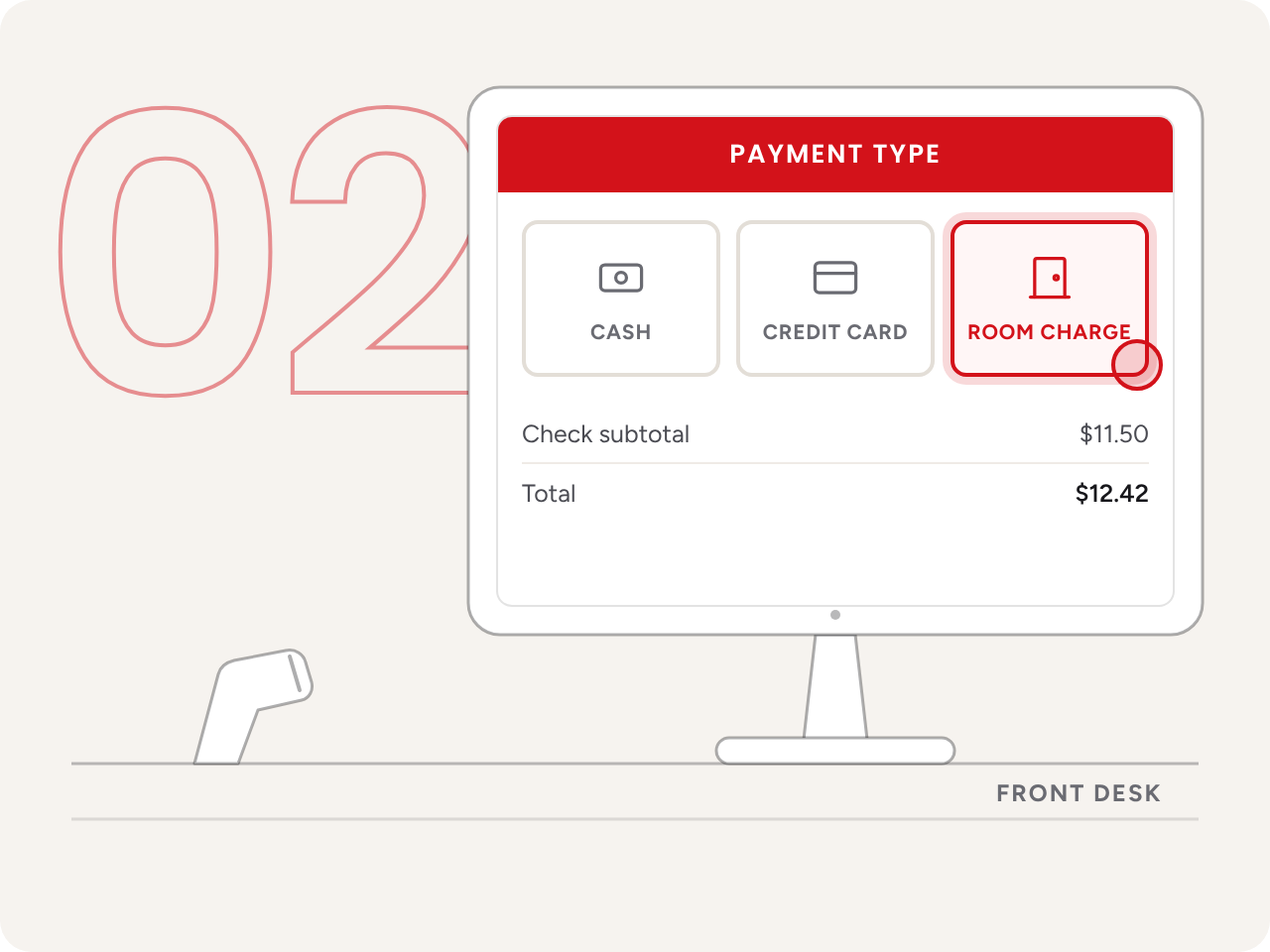
Product demo: on the ImpulsePoint Sell Screen at a hotel front desk, staff add bottled water, peanut candies and a diet soda to the cart and select Pay. On the Payment Type screen they choose Room Charge instead of cash or credit card, enter room number 412 and select Get Guests to verify the guest. The sale is then sent to the hotel's PMS as a room charge.

No wallet needed

Guests can buy now and settle at check-out, alongside cash and card.

Entered once

ImpulsePoint logs the items and sends the charge to the PMS. No re-keying.

Nothing lost in transit

If the PMS is down, the sale is held in PMS Missing Sales, ready to retry.

Night audit that matches

If the PMS is down, the sale is held in PMS Missing Sales, ready to retry.

Animated illustration: six places around a hotel, the lobby market, fitness center, pool, guest floor, self-checkout kiosk and front desk, each send purchases along dotted paths to a single guest room door, room 412, where every charge lands on the same room bill.

The guest back from the gym wants a water.
Their wallet is upstairs.

A market that only takes cash and card turns that guest away, or sends them upstairs and back. Charging it to the room fixes the guest's problem, but a manual posting creates one for your team.

Every sale typed into the PMS by hand is a chance to hit the wrong room, miss a line item, or find a gap at night audit. Impulsify makes room charge a payment type in the market itself, so the sale is captured once and sent where it belongs.

How it works

Four steps at the front desk

From the first scan to the guest's folio, without leaving ImpulsePoint.

  • Ring up the items

    Scan the barcode, or tap a Quick Click or No UPC item on the Sell Screen. Every item is logged as it’s rung up.

    Front-desk terminal showing the ImpulsePoint Sell Screen with a diet soda just scanned into the cart.
  • Choose Room Charge

    Room Charge sits next to cash and credit card on the payment screen. One tap, not a separate process.

    Front-desk terminal showing the Payment Type screen with Room Charge selected next to Cash and Credit Card.
  • Verify the guest

    Enter the room number, select Get Guests and confirm the guest’s name before anything is charged.

    Front-desk terminal showing room 412 entered and the guest’s name confirmed.
  • Sent to the PMS

    The sale goes to your PMS as a room charge, with PMSs such as OnQ, Pep and H1000. If the PMS is offline, it waits in PMS Missing Sales to retry.

    Front-desk terminal confirming a room charge sent to the PMS, where it appears as a new line on the guest folio.
x0
spend per transaction
+0%
self-checkout share
0%
fewer stockouts
0%
PMS posting accuracy

Front desk

A room charge in a few taps, not a separate process

Add room charge to your grab-and-go market. Your team enters the room number, verifies the guest, and ImpulsePoint sends the sale to your PMS as a room charge.

Barcode scanning, Quick Clicks and No UPC items
Guest name confirmed before the charge is sent
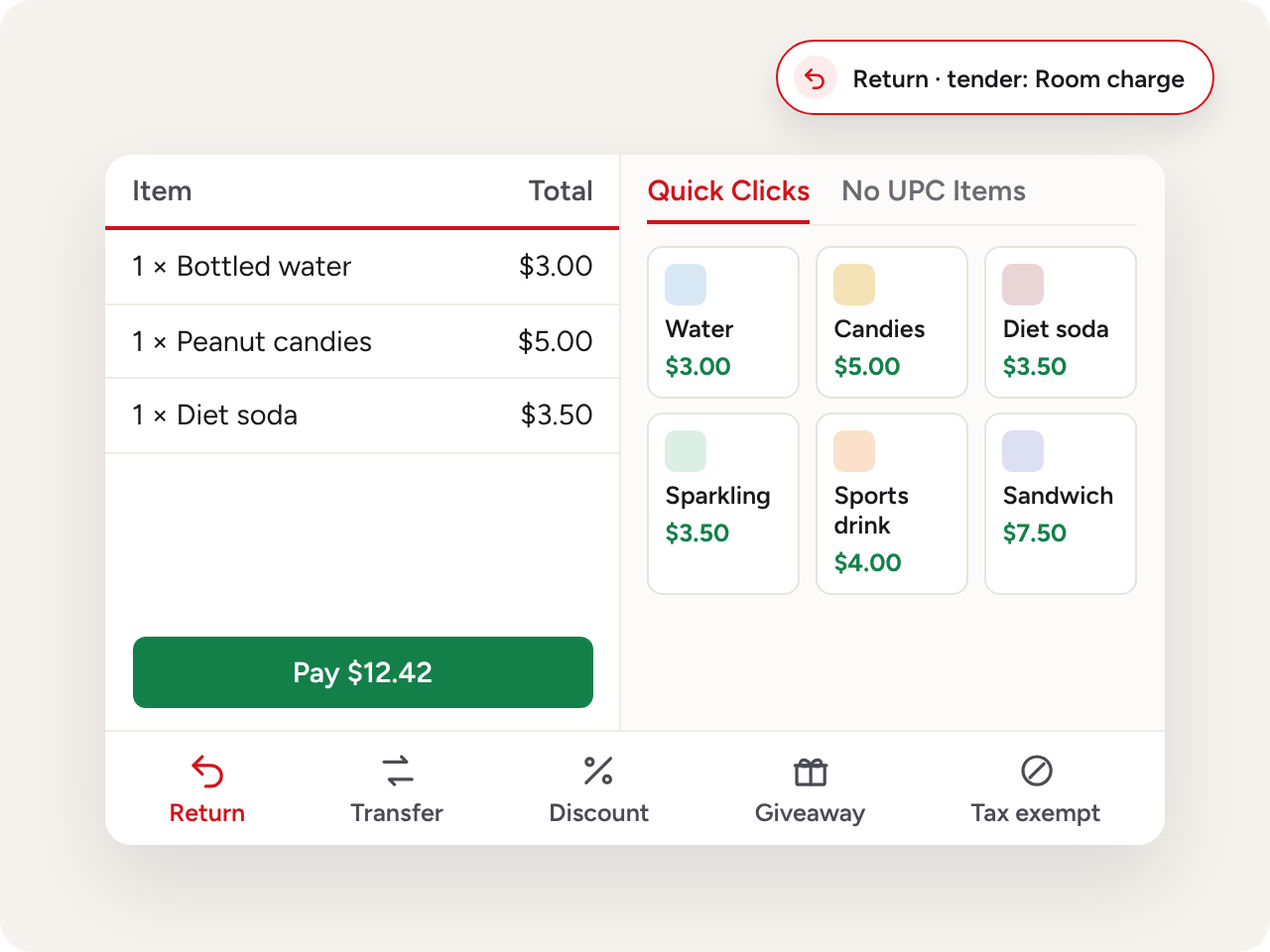
Returns can go back to room charge as the tender
The ImpulsePoint Sell Screen: the cart, Quick Click and No UPC tiles, and the Return, Transfer, Discount, Giveaway and Tax Exempt tools, with a return being sent back to room charge.
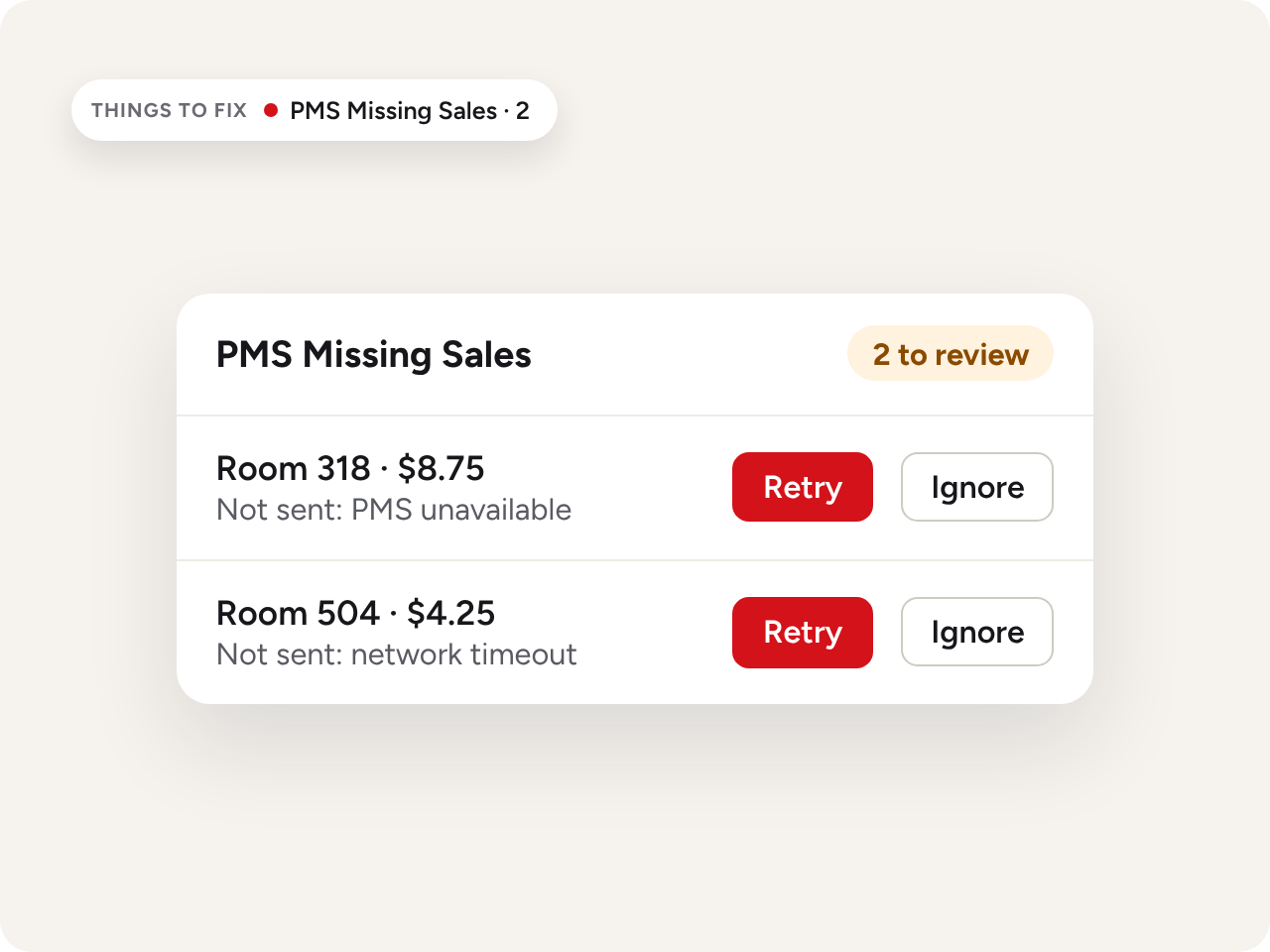
PMS Missing Sales in ImpulsePoint: two room charges that couldn’t reach the PMS, each with Retry and Ignore buttons, also flagged in Things to Fix.

PMS posting

See any room charge that didn't reach the PMS

Networks drop and systems go down. When a room charge can’t be sent, ImpulsePoint keeps the sale and holds it in PMS Missing Sales, so nobody has to re-key it into the PMS. Staff retry it once the connection is back, instead of finding the gap days later.

Flagged in Things to Fix on the home screen the front desk already uses
Retry or Ignore each held sale from one list
Checked again at night audit, before the day closes

Night audit

Close the day in step with the PMS

The night audit in ImpulsePoint is a short checklist that runs alongside your PMS close. The auditor works through it in order, so room charges, front-desk sales and kiosk card payments are all accounted for before the day ends.

Enter rooms sold, so sales per occupied room reflects the real night
Retry any room charge still waiting in PMS Missing Sales
Confirm house accounts are open and batch kiosk credit cards
The ImpulsePoint night audit checklist: rooms sold entered, PMS Missing Sales reviewed, house accounts confirmed open and kiosk credit cards batched, ready to finish.
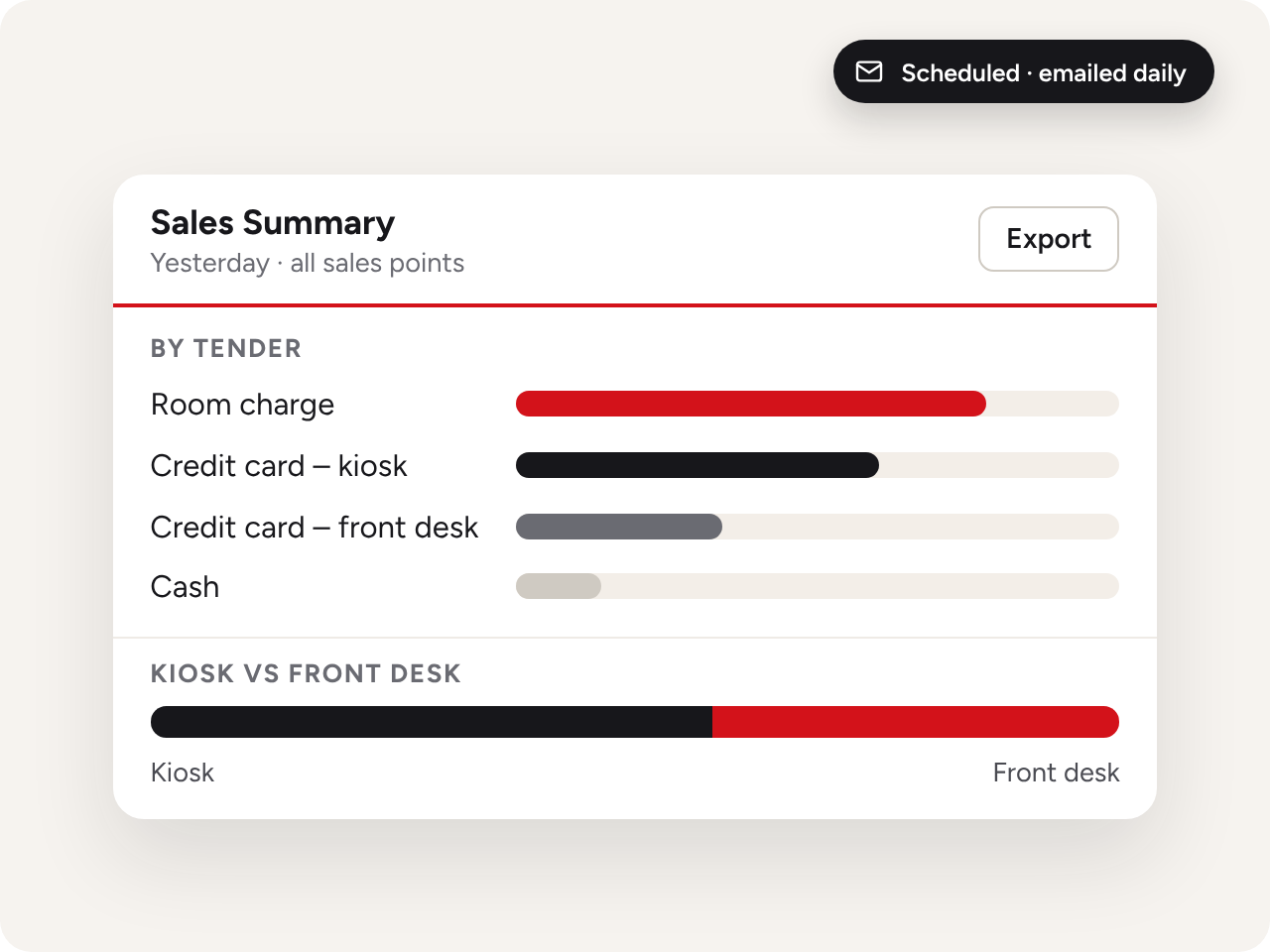
The ImpulsePoint Sales Summary for yesterday, with sales broken out by tender: room charge, kiosk credit card, front-desk credit card and cash, plus a kiosk versus front desk split, scheduled to arrive by email.

Reporting

Room charges on their own line, not buried in the total

The Sales Summary breaks out the day by tender, with kiosk sales next to front-desk sales. Night auditors use it to reconcile against the PMS, and managers use it to see how guests prefer to pay. Run it for yesterday or any date range.

Room charge, cash and card, split by kiosk and front desk
Revenue Dashboard tracks payment types, discounts and giveaways over time
Export to Excel or PDF, or schedule reports by email

Self-checkout room charge

Now guests can charge it to the room themselves

Room charge is available on 365 Retail Markets self-checkout kiosks. Guests choose Room Charge, enter their room number and last name, and see the charge confirmed on screen. No one needs to be at the desk.

Room charge or card

Room Charge sits beside tap and swipe on the checkout screen.

Checked before it's charged

The room number and last name must match. If they don't, the kiosk asks the guest to try again.

Wherever guests buy

Lobby markets, fitness centers and guest floors, all charging to the same folio.

Interested in adding a kiosk?
Fill out the form below

FAQs

Questions hotels ask

Which PMSs does room charge work with?

ImpulsePoint sends room charges to PMSs including OnQ, Pep and H1000. [Confirm the full supported list before publishing.] Talk to us about your property's PMS.

What happens if the PMS is offline?

The sale is recorded in ImpulsePoint and held in PMS Missing Sales. Staff retry it once the connection is back, usually during night audit.

Can guests still pay by cash or card?

Yes. At the front desk, cash and card sales are logged in ImpulsePoint and finalized in your PMS. Kiosk card payments go through the kiosk's payment processor.

How are returns on room-charge purchases handled?

Staff choose room charge as the tender on the return and mark whether the item can be resold. The refund to the guest is processed in the PMS.

Can guests use room charge at a self-checkout kiosk?

Yes, on 365 Retail Markets self-checkout kiosks. Guests enter their room number and last name to charge a purchase.

Will room charges show up in reporting?

Yes. The Sales Summary and Revenue Dashboard break out revenue by payment type, so you can see how much of your market's sales are charged to rooms.